Woman Goes To McDonald’s Drive-Thru. Then Her Tesla Starts To Update Right Then And There: ‘Shouldn’t This Be Common Sense?’
"Don't ever buy a Tesla."
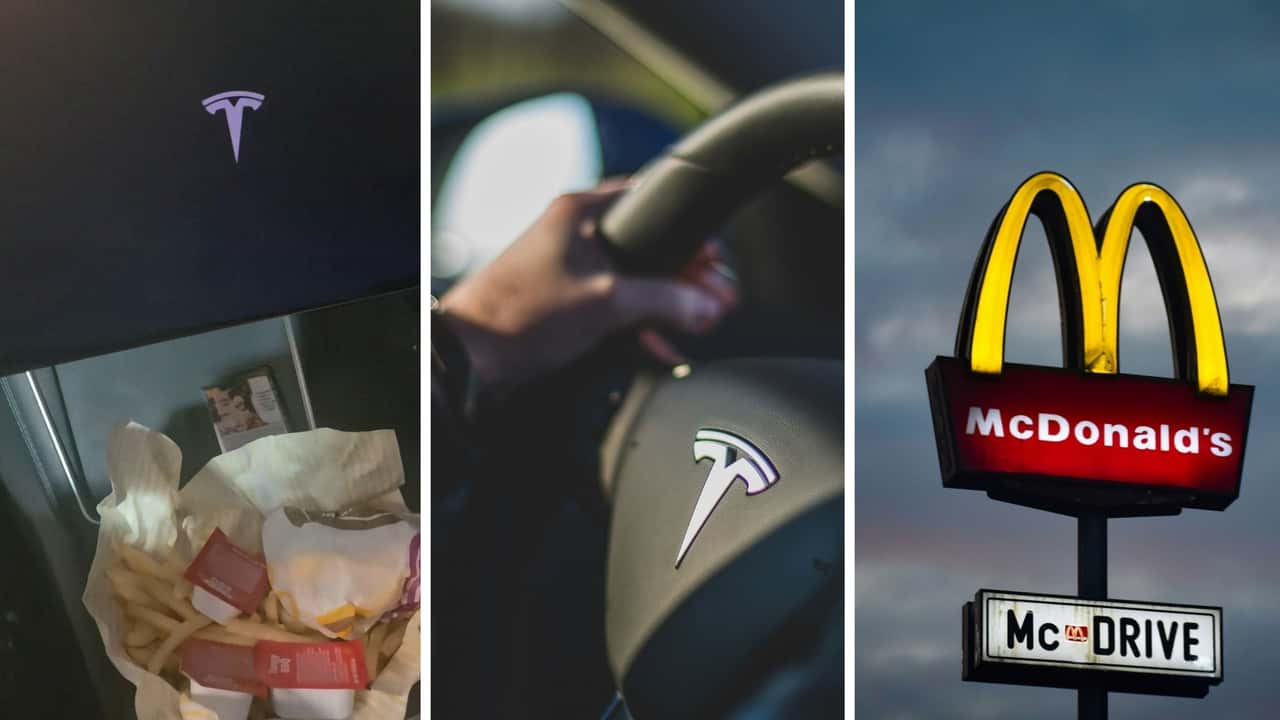

A Tesla got stuck in a McDonald’s drive-thru after the driver decided to initiate a software update while picking up some grub.
Amanda De La Rosa (@amanda.de.la.rosa65) is now urging others not to make the same mistake.
“Tesla will disable driving while doing software updates,” she wrote in a text overlay of her video. In the clip, her car’s infotainment is black, save for the automaker’s logo. De La Rosa reveals that the EV’s software update occurred right in the McDonald’s drive-thru.
Throughout the clip, she opines on the inconvenience this caused her, other drivers, and the fast-food business. “Don’t ever update your Tesla when you’re in the freaking drive-thru at McDonald’s. Don’t ever update. I repeat: Do not update your car, your Tesla, whenever you’re in the drive-thru. You have to be home. The car disables,” she says.
While providing this warning to others, she shows the McDonald's drive-thru window, where she is stuck even though she already has her food.
Teslas Are Immobile During Software Updates
There have been instances where other drivers have shared their Tesla software update woes. In 2024, one woman chronicled her regret after initiating a software update—and subsequently losing her air conditioning—as she sat inside of her EV on a hot day. Further compounding her discomfort was the car’s very construction. Its large glass panoramic roof effectively turned the Tesla into a mobile greenhouse, increasing cabin temperature to 115 degrees Fahrenheit as she waited for the update process to finish.
The driver didn’t want to open the car door as it was updating, as doing so could damage the vehicle in the process. So the driver was forced to sit and wait, as De La Rosa did, while the vehicle downloaded and fully installed the update. Tesla notes that these software updates take approximately 30 minutes to complete but can sometimes go on for longer.
Gallery: Tesla Software V11


According to the automaker’s owner’s manual: “You cannot drive while software is being installed. If plugged in, your vehicle will stop charging until the installation is complete … software updates are not performed when certain features are active, such as Keep Climate On, Pet Mode, or Camp Mode.”
When And Where Should You Update Your Tesla?
The EV manufacturer’s official online support page corroborates De La Rosa’s assertion that the best place to commence a software update is at home. This is for two primary reasons. The first is that Tesla vehicles need to download the update package. Connecting one’s vehicle to a WiFi network will often provide faster download times. As Tesla writes, “To ensure the fastest and most reliable delivery of software updates, leave Wi-Fi turned on and connected whenever possible.”
Additionally, keeping one’s car at home ensures that both the driver and their car are in a safe location. So turning WiFi on (if it isn’t already), getting out of the car, and engaging the software update when you’re outside of the vehicle will ensure you aren’t trapped inside of it. Just make sure to take anything you need out of the vehicle in case the update takes longer than expected.
Tesla also issues a warning for those considering waiting in the car. It says, “Warning. Do not attempt to use the vehicle while the software is being installed. Vehicle functions, including some safety systems and opening or closing the doors or windows, may be limited or disabled when installation is in progress and you could damage the vehicle.”
Tesla Software Updates Gone Wrong
Like other pieces of consumer technology, sometimes, new software installations can lead to purported problems in Tesla vehicles. This outlet reported that numerous Cybertruck owners found their cars to be “undriveable” after installing a software update. High-voltage errors were displayed on vehicle screens after receiving the software refresh according to the site.
Even folks who claim to have followed all of Tesla’s update protocols to the T said their vehicles weren’t functioning properly post-update.
This Model Y driver found his vehicle “completely dead” after initiating an update. He had His vehicle plugged into a charger. During the update, his car wouldn’t charge. The process had drained all of the power from his car’s 12-volt battery. The fix wasn’t as simple as swapping out this ancillary pack.
He said that after bringing his ride to a Tesla dealership, service techs informed him that the car’s onboard computer was shot. To fix it, the business told him he’d need to shell out $2,300 in repairs.
Motor1 has reached out to De La Rosa via TikTok direct message for further comment.
RECOMMENDED FOR YOU
The New Tesla Roadster Has A Slick Retro-Futuristic User Interface
Bentley's First EV Completes 621,000 Miles Of Extreme Testing
Tesla Roadster Thrusters Need Up To 6 Hours To Refill After Just 5 Seconds Of Use
Volkswagen Pauses Electric Golf Development Amid Financial Struggles
Turo Now Lets You Rent A Tesla With Full Self-Driving
Ariel Finally Brings Extreme Atom And Nomad To US
Florida Woman Leaves Chipotle, Sees Tesla Being Towed. The Company Charges $185 To Get It Back—After They ‘Completely Ruined’ It